Build forms. Get contacts, not spreadsheets.
Most form builders do one job well: they collect answers. Then the real work starts — export a spreadsheet, import it into your CRM, match the columns by hand, and hope nothing was dropped. Formidable takes a different starting point. It is a full form builder living inside Trevally, so a submission is not a row in a file you have to move later: it becomes a real contact the moment it lands, mapped to the fields you chose, and it can drop straight onto a Kanban pipeline. The form and the contact base are the same system.
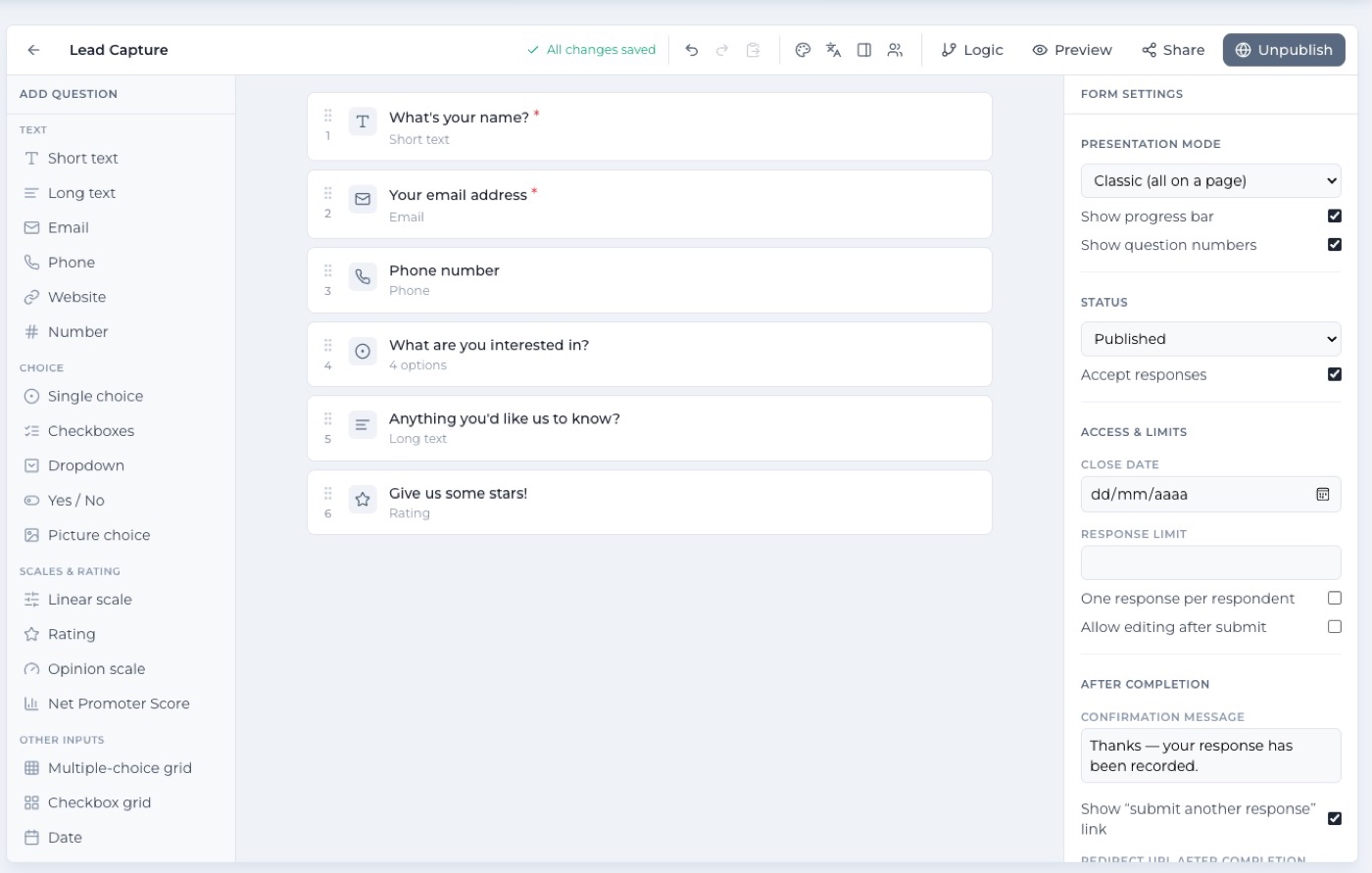
A real builder: 30 question types, logic and quiz scoring
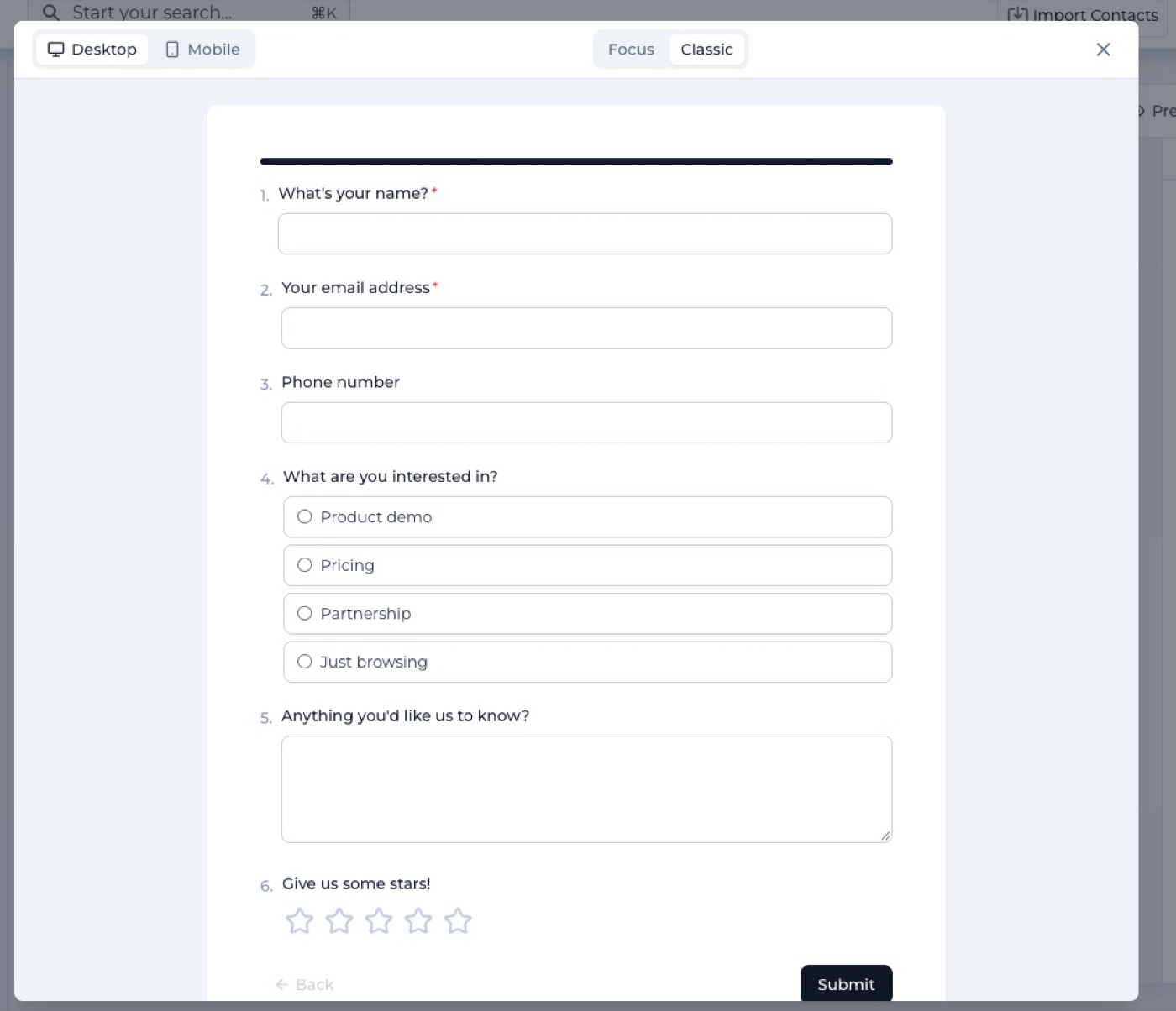
Formidable is not a stripped-down lead-capture widget. It covers the depth you would expect from a dedicated form tool: thirty question types, conditional logic for showing or hiding questions based on answers, a quiz engine with scoring, welcome and ending screens, themes, variables and translations. Toggle between focus mode (one question at a time, conversational) and classic mode (all on a page) depending on what you are building. Both present and preview live on desktop and mobile.
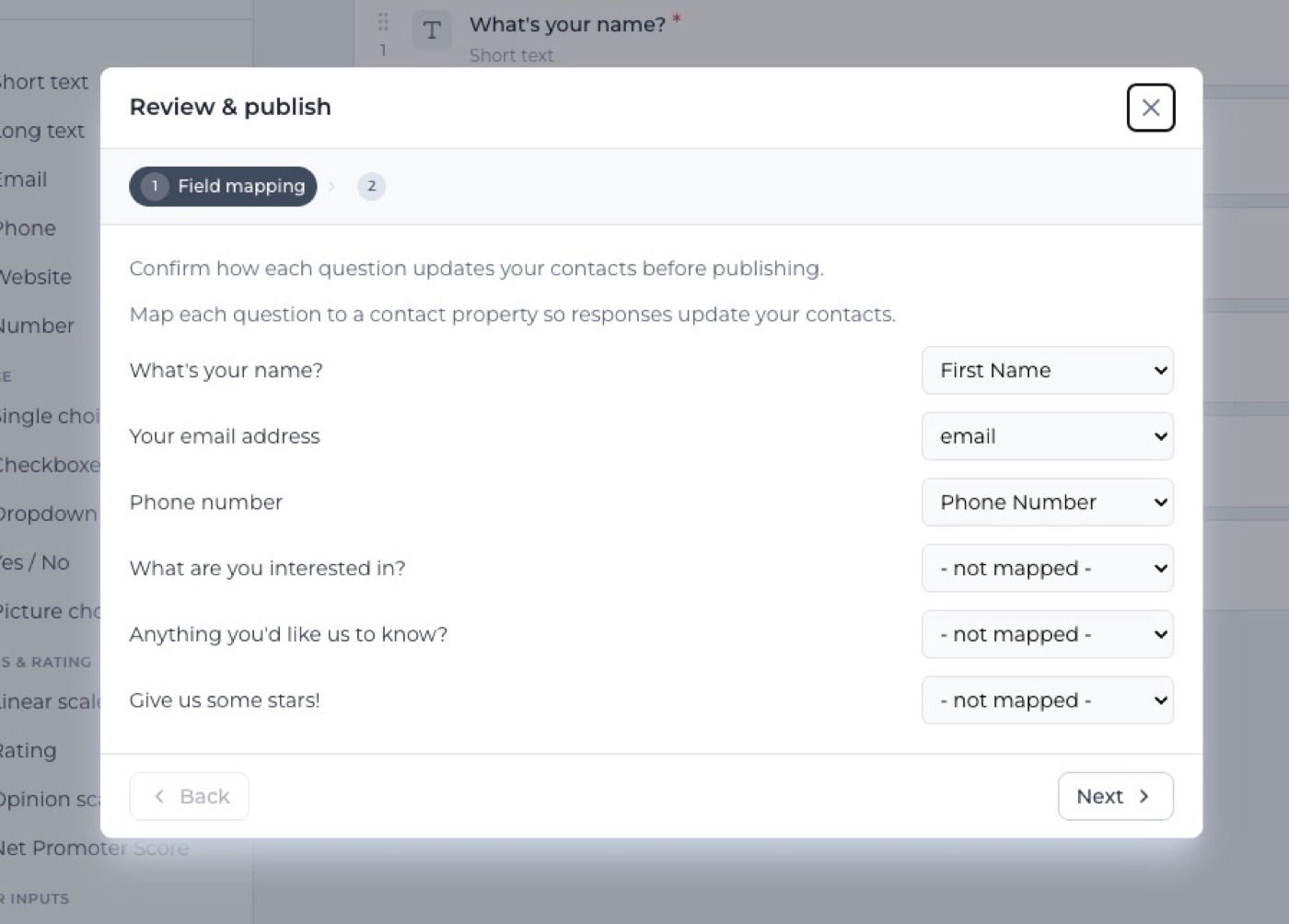
Map answers to contact fields on submit
The step that saves everything is field mapping. Before publishing, you map each question in the form to a real contact attribute in your Trevally account. When someone submits, Formidable checks whether a contact with that email address already exists: if it does, the mapped answers are merged into the existing record; if it does not, a new contact is created with name, email and all mapped fields filled in. No column matching, no import wizard — it happens at the moment of submission.
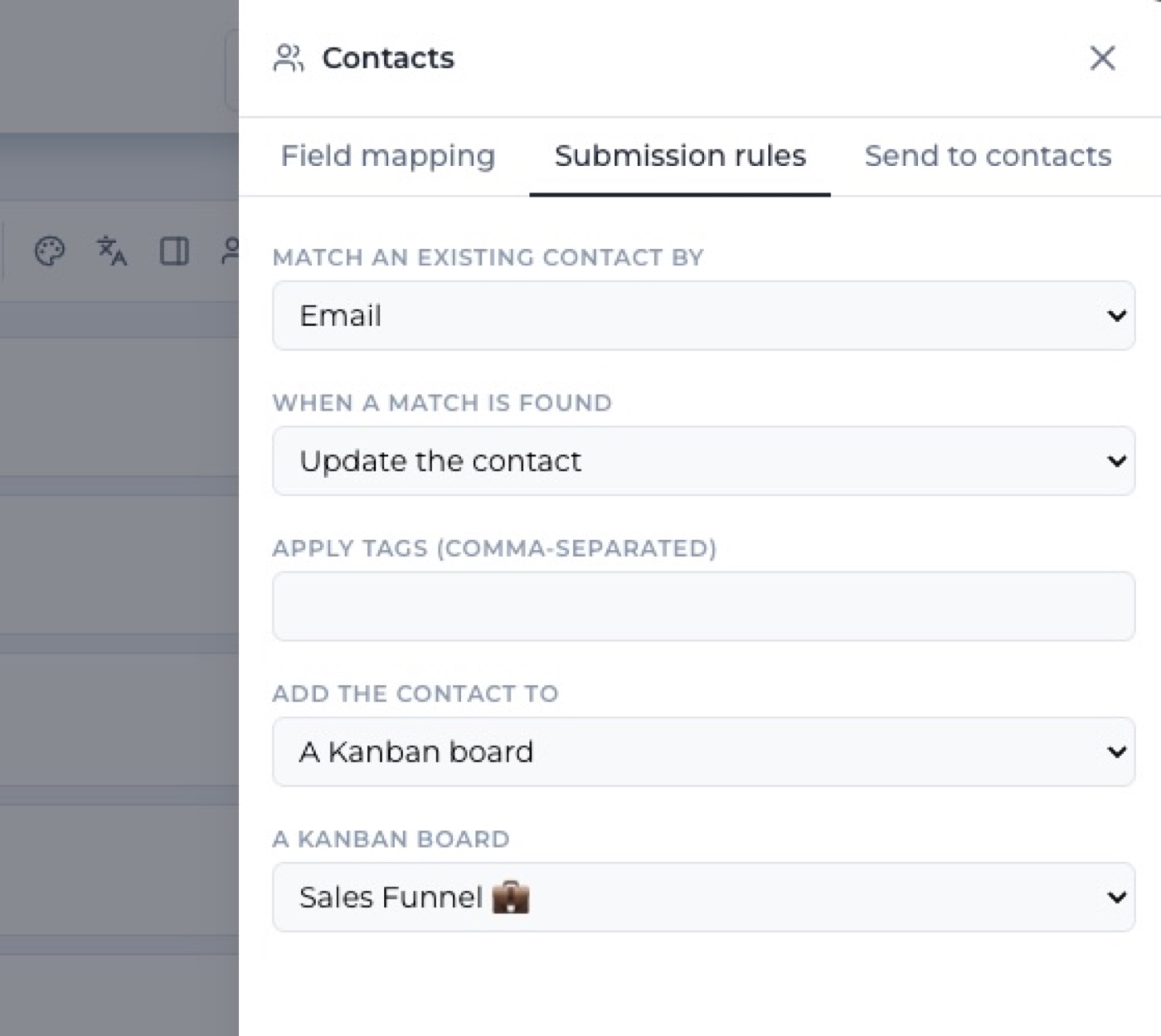
Route every submission straight into your pipeline
Contact creation is just the first step. Submission rules let you route the new or updated contact to a destination of your choice: add them to a contact list, or drop them as a card in the first column of a Kanban board. When a contact lands on the board, that column's event triggers fire immediately — so a wait, a personalized follow-up email, or a file delivery can start the moment a form is submitted, without any manual intervention.
Analytics, submissions and sending
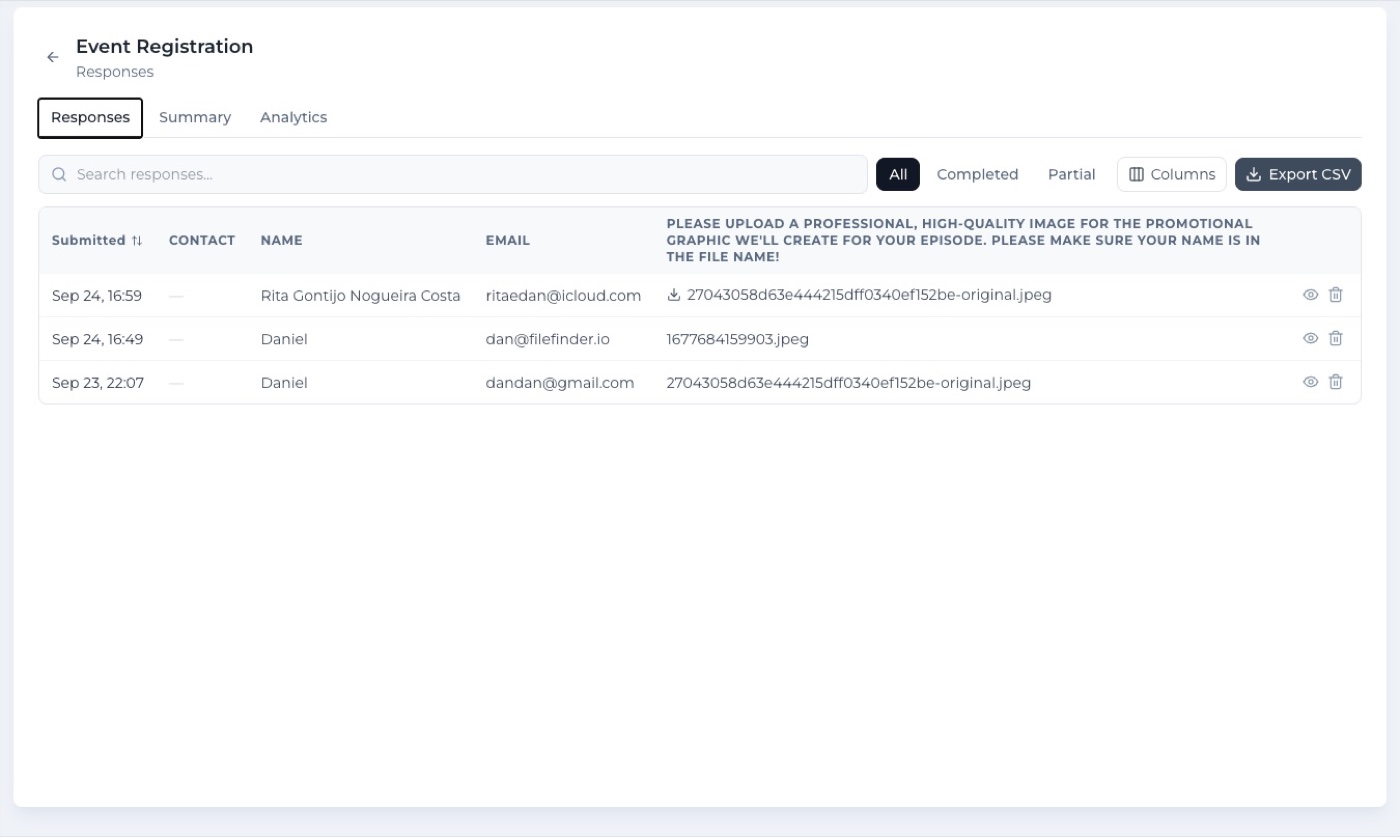
Every form carries a full analytics view: total views, starts, completions, completion rate, average time to complete, and per-question drop-off so you can see exactly where people stop. A responses table lists every submission linked to its contact, searchable, filterable and exportable to CSV. You can also send the form directly to contacts or contact lists by email invitation, and view all submissions across all your forms in one place from the recent submissions screen.
What you can do
- 30 question types: short text, long text, email, phone, date, rating, choice, file upload and more
- Conditional logic: show or hide questions based on any previous answer
- Quiz mode with automatic scoring and score display on the ending screen
- Focus mode (one question at a time) and Classic mode (all on a page), both with live preview
- Welcome screens, ending screens, themes and per-form settings
- Field mapping: each question mapped to a real contact attribute before publishing
- On submit: match an existing contact by email or create a new one with the mapped fields
- Submission rules: add the contact to a contact list or drop it as a card on a Kanban board
- Kanban column event triggers fire immediately when a submission creates a new board card
- Analytics funnel: views, starts, completions, completion rate, average time and per-question drop-off
- Responses table: searchable, filterable, exportable to CSV
- Send by email invitation: send the form to contacts, contact lists or imported cohorts
- Recent submissions view: all responses across all your forms in one screen
- Duplicate forms for reuse; archive forms to keep the list clean
- Image blocks with a reusable media library and automatic compression
- File upload field: respondents can attach a file directly in the form
- Sharing: public link, embed snippet, QR code
- Every submission visible on the contact card's Forms tab — the answers stay with the relationship
- Included with Trevally: no extra subscription, no response limits to manage
See it with your own contacts.
Connect your email and your contact base builds itself, Formidable: Form Builder included.
Connect your inbox for freeRead-only access. Revoke anytime. Your data stays yours.